
Download TICKnTALK – Twitter sidebar, top stories, IE plug‑in
Overview
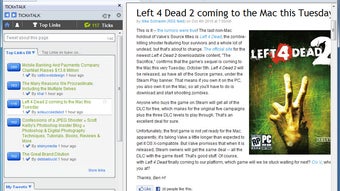
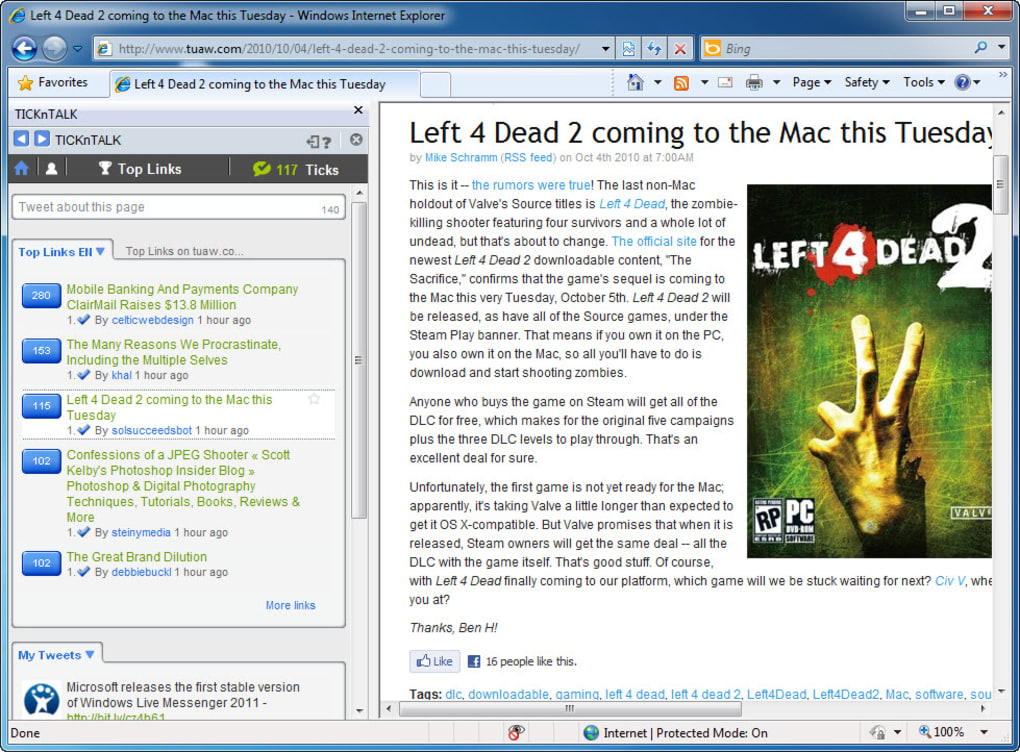
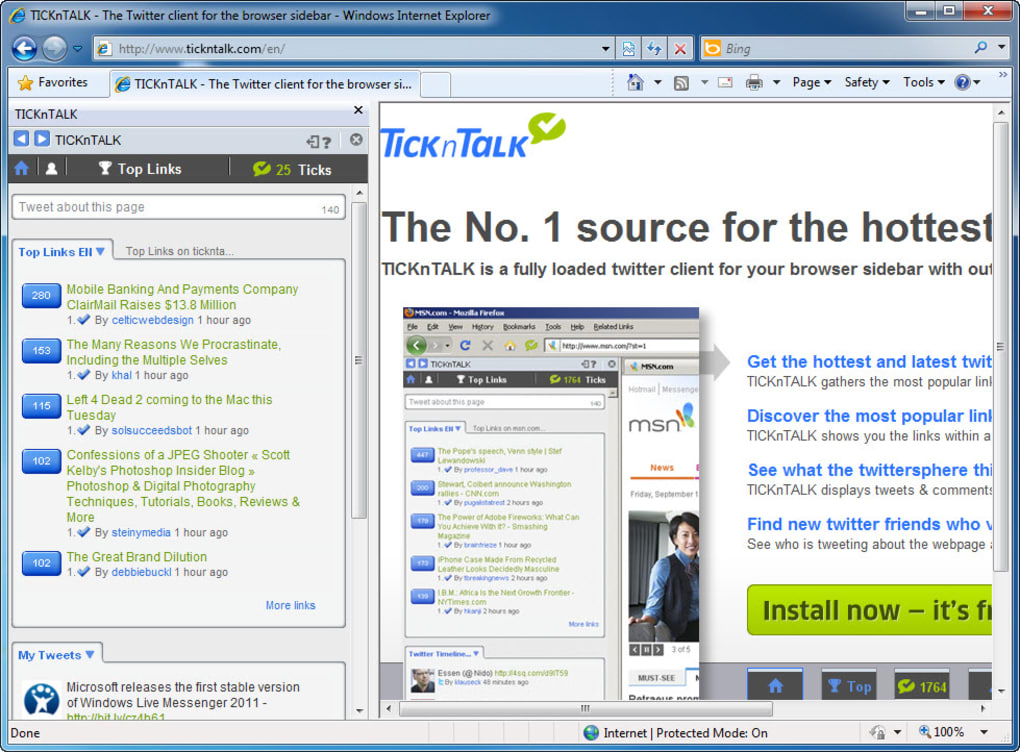
TICKnTALK is a lightweight plug‑in designed exclusively for Internet Explorer that brings the pulse of Twitter straight into your browsing experience. Once installed, a slim sidebar appears on the left side of the IE window, constantly refreshed with the most retweeted links and breaking stories circulating on the platform. The concept is simple yet powerful: you can monitor trending topics, see which URLs are gaining traction, and even reply to tweets without leaving the page you’re working on.
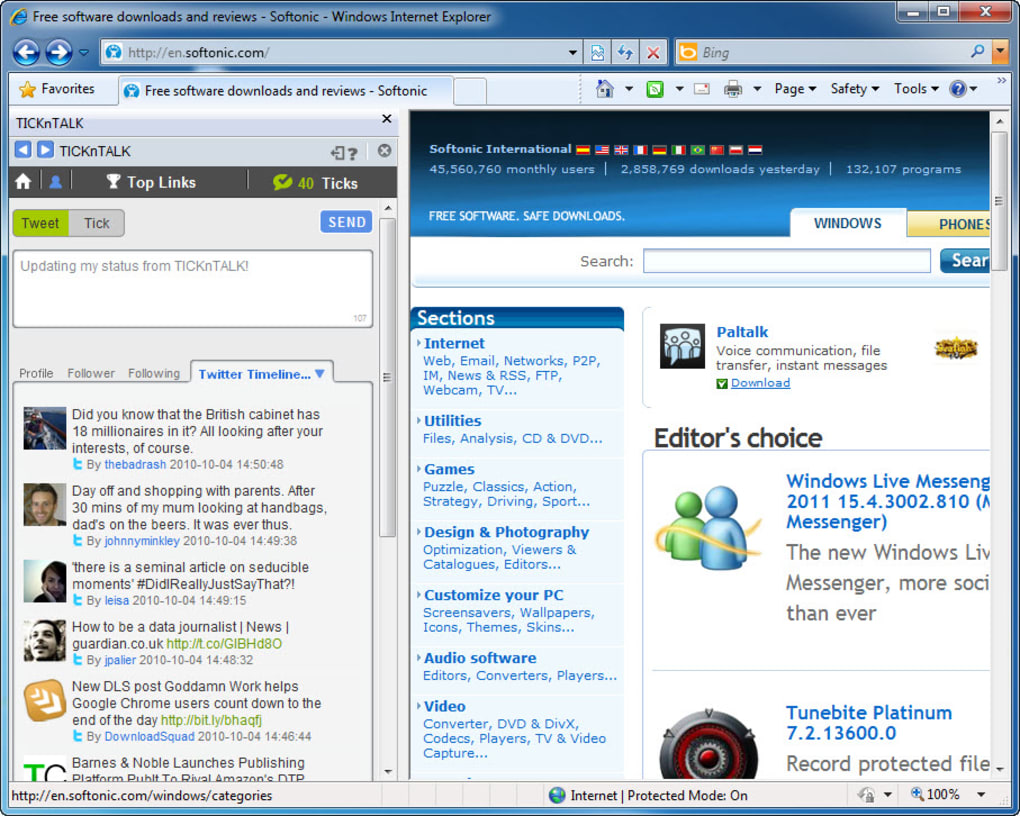
While TICKnTALK does not aim to replace a full‑featured Twitter client, it offers a “quick‑look” experience that is perfect for journalists, marketers, or anyone who needs to stay on top of social buzz while researching or drafting content. The plug‑in also doubles as a basic Twitter client – you can post, retweet, and follow accounts – although those controls are tucked away in a secondary menu that may feel hidden to new users. Despite those minor usability quirks, the tool remains a handy, free, and secure way to keep Twitter’s hottest links in sight, especially for those still using legacy IE environments in corporate settings.
Its minimal footprint means it does not slow down page loads, and updates are delivered automatically through the standard Windows Update channel, ensuring you always have the latest security patches. In short, TICKnTALK turns Internet Explorer into a real‑time social newsroom, letting you capture the zeitgeist without juggling multiple tabs or external apps.
Key Features
- Live Twitter Sidebar: A constantly updating pane that displays the top retweeted links on Twitter, positioned conveniently on the left side of IE.
- Quick Tweet Composer: Allows you to draft and send tweets directly from the sidebar without opening a separate window.
- Retweet & Like Buttons: One‑click interaction with the most popular tweets, keeping you engaged with the conversation.
- Basic Client Functions: Follow/unfollow users, view your timeline, and manage mentions – all within the plug‑in.
- Customizable Refresh Rate: Choose how often the sidebar pulls new data (15 seconds, 30 seconds, 1 minute).
- Lightweight Design: Under 2 MB download size, minimal RAM usage, and no impact on IE’s core performance.
- Secure OAuth Authentication: Connect your Twitter account safely using Twitter’s official OAuth flow.
- Automatic Updates: Seamless background updates via Windows Update, ensuring you always have the latest features and security fixes.
- Link Preview Mode: Hover over a tweet link to see a brief preview of the target page without leaving the browser.
- Multi‑Language Support: Interface available in English, Spanish, French, and German.
Installation & Usage Guide
Installing TICKnTALK is straightforward and can be completed in just a few minutes. Follow the steps below for a smooth setup:
- Download the Installer: Click the “Download TICKnTALK” button below or visit the official website. The installer is a small
.exefile (approximately 1.9 MB). - Run the Installer: Double‑click the downloaded file. Windows will prompt you to confirm that you want to allow the app to make changes; click “Yes”.
- Accept the License Agreement: Read the End‑User License Agreement (EULA) and click “I Agree” to continue.
- Choose Installation Folder: The default location is
C:\Program Files\TICKnTALK. You can change it if you prefer a different directory. - Complete Installation: Click “Install”. The process typically takes under 30 seconds. When finished, click “Finish” to close the wizard.
- Launch Internet Explorer: If IE is already open, restart it to allow the plug‑in to load.
- Authorize Twitter Access: The first time you open the sidebar, you’ll be asked to sign in to Twitter. A secure OAuth window will appear; log in with your credentials and grant the requested permissions.
- Configure Settings: Click the gear icon in the sidebar to adjust refresh intervals, enable link previews, or switch language.
- Start Browsing: The left‑hand pane now shows the top retweeted links. Click any headline to open the article in a new tab, or hover to see a preview. Use the tiny tweet composer at the bottom of the pane to share your own thoughts.
Tips for Power Users: Pin the sidebar to keep it visible while you navigate multiple tabs. Use keyboard shortcuts (Ctrl + Shift + T) to open the tweet composer instantly. If you notice lag, try lowering the refresh rate or disabling the link preview feature.
Compatibility, Pros & Cons
TICKnTALK is built specifically for Internet Explorer 11 on Windows 7, 8, and 10. It does not support Edge, Chrome, or Firefox, and there is no native Mac, Android, or iOS version. Because the plug‑in relies on IE’s legacy extension framework, it works best in environments where IE is still the default browser—such as corporate intranets, government portals, or legacy web applications.
Pros
- Provides real‑time visibility of Twitter’s most viral links without leaving the browser.
- Very small download size and low memory footprint.
- Secure OAuth authentication keeps your Twitter credentials safe.
- Automatic background updates via Windows Update.
- Customizable refresh intervals and language options.
- Free to use with no hidden fees or subscription model.
Cons
- Limited to Internet Explorer; no support for modern browsers.
- Twitter client features are hidden behind secondary menus, making them less discoverable.
- No advanced functionalities like media uploads, direct messages, or list management.
- Occasional UI glitches on high‑resolution displays.
- Relies on Twitter’s public API rate limits, which can throttle updates during peak traffic.
Frequently Asked Questions
Is TICKnTALK completely free?
Yes, TICKnTALK is offered as a free download with no hidden subscription fees. All core features, including the live sidebar and basic tweet composer, are available at no cost.
Can I use TICKnTALK on Windows 11?
Officially, TICKnTALK supports Windows 7, 8, and 10 with Internet Explorer 11. While the plug‑in may load on Windows 11 if IE 11 is installed via legacy mode, we recommend using a supported OS for optimal performance.
Does TICKnTALK store my Twitter password?
No. TICKnTALK uses Twitter’s OAuth protocol, which means your credentials are never stored locally. The plug‑in only retains an access token that can be revoked from your Twitter account settings.
How often does the sidebar refresh?
By default the sidebar refreshes every 30 seconds. Users can change the interval to 15 seconds, 1 minute, or manually disable auto‑refresh in the settings menu.
Is there a way to hide the sidebar temporarily?
Yes. Click the small “pin” icon in the upper‑right corner of the sidebar to collapse it. The pane can be re‑opened instantly by clicking the same icon again.
Conclusion & Call‑to‑Action
TICKnTALK fills a niche that many modern Twitter tools have overlooked: delivering a live, unobtrusive stream of the platform’s most viral links directly inside a legacy browser. For users who still rely on Internet Explorer for internal applications or who prefer a minimalist workflow, the plug‑in offers a secure, free, and constantly updated solution. While it lacks the deep feature set of dedicated Twitter clients and is confined to the IE ecosystem, its lightweight design and real‑time feed make it an excellent companion for journalists, PR professionals, and social‑media enthusiasts who need to stay informed without juggling multiple windows.
Ready to bring the hottest Twitter stories to your desktop? Free download is just a click away. Install TICKnTALK today, customize the refresh rate to match your workflow, and watch the most retweeted links appear instantly on the left side of your Internet Explorer window. Stay ahead of the conversation, boost your content strategy, and enjoy a secure, hassle‑free Twitter experience—all without leaving the browser you already know.







